
BlinkID v6.10.0 Release: accessibility improvements, higher first-time pass rates and, more documents!

BlinkID’s latest release introduces updates that ensure high first-time success rates, expand our coverage to include new document types, and improve accessibility of our mobile SDKs.
New Features
Improved reliability and first-time successful scanning experience
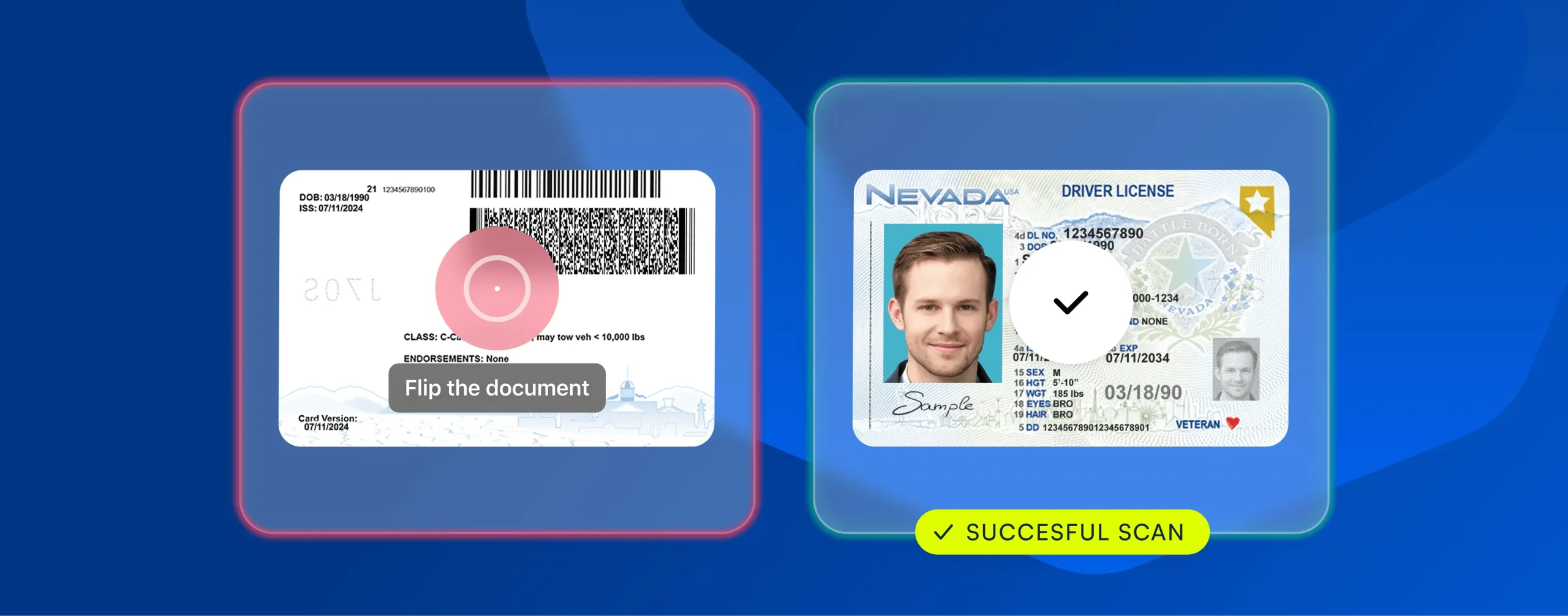
- Avoiding Double Scans of the Front Side: BlinkID now prompts users to flip the document when they try to scan the front side twice. With this more intelligent capturing and scanning, we’re reducing the chance of mistakes.
- Starting with the Right Side: If users attempt to scan the back side of a document first, BlinkID will prompt them to begin with the front side. This feature ensures that users follow the correct order, leading to a more reliable and user-friendly experience.
Accessibility improvements in mobile SDKs
For Android and iOS
- Accessible button names – We added accessible names to the help and flashlight buttons, enabling screen readers (TalkBack, VoiceOver) to read them correctly.
- Glare warning toast – The toast is now correctly detected and read by screen readers (TalkBack, VoiceOver).
For now, Android only
- Enhanced button contrast – We improved contrast for the close and flashlight buttons, making them easier to distinguish.
- Improved focus order – We enhanced focus order on help and onboarding screens to ensure proper reading of instructions when using TalkBack.
Expanded document coverage
New document versions for supported documents
- Sweden – Social Security Card – Back side
- Bolivia – Driver’s License – Back side
- Brazil, Distrito Federal – Identity Card – Back side
Out of Beta
- Colombia – Temporary Protection Permit
New Beta Documents Support
- France – Professional ID
- Mexico – Tax ID
New Document Versions for Beta-Supported Documents
- Brazil, Parana – Identity Card – Back side
- Brazil, Santa Catarina – Identity Card – Back side
New Segments Supported on Documents
- Peru – Alien ID – MRZ
Minor changes
- Fallback for barcode scanning –
Barcode IDrecognition mode will now extract information from any supported barcode if full document recognition fails. Initially available only for US and Canadian documents, this feature is now available to all documents. - MRZ field on US documents – Set to optional by default and currently refers to: Minnesota (DL & ID), New York (DL & ID), Vermont (DL) and Washington (DL & ID).
AdditionalProcessingInfo– In cases of an empty result, this field now provides details about the reasons why scanning failed.- Handling of face photo occlusion – The UI message is slightly changed to prompt users to keep the face photo fully visible when there is a finger occlusion.
Stay Updated and Get the Best Performance
Upgrading your product to the latest BlinkID version ensures you benefit from the latest features and best performance.
For a complete list of supported documents, visit the regularly updated web page.
Need Help?
Our dedicated support team is always here to assist you. Visit our Help Center.
Resources
BlinkID v6.10.0 is available now for iOS, Android, Self-hosted, and Browser platforms.
For complete documentation, visit BlinkID Documentation page.