
Best ID Scanner Apps for Fraud Prevention and Compliance in 2026


Is your business still relying on a flashlight and a gut check to verify identities? In 2026, that approach is not just outdated—it is a measurable fraud and compliance risk.
Navigating the landscape of AI solutions for fraud, risk, and compliance requires robust tools that can seamlessly integrate into your digital onboarding processes. The best ID scanner apps go far beyond basic image capture, using optical character recognition (OCR), barcode and MRZ reading, biometric checks, and increasingly sophisticated fraud-detection workflows to authenticate users and flag suspicious activity in real time. Whether you are managing access at a high-volume venue or overseeing regulated onboarding for a financial institution, selecting the right platform can directly affect conversion rates, audit readiness, operational efficiency, and exposure to identity fraud.
This guide reviews the top ID scanner apps for 2026 with a focus on what Fraud Decision-Makers actually care about: compliance controls, fraud prevention depth, implementation burden, user experience, and long-term operational fit.
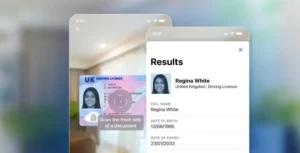
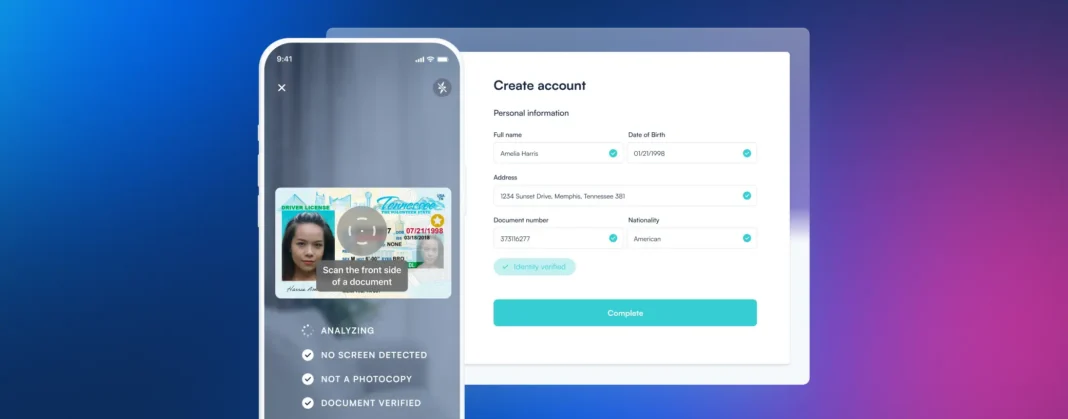
[IMAGE: A high-resolution close-up of a smartphone using an AI-powered ID scanner app to verify a driver’s license with green “Authentic” status indicators and biometric face-match overlays.]
The Evolution of ID Verification in 2026
The ID scanning market has split into two clear categories.
First, there are enterprise-grade identity verification platforms built for regulated onboarding, fraud prevention, and scale. These tools typically combine OCR, barcode and MRZ extraction, facial verification, liveness checks, and integration options for existing risk and compliance stacks.
Second, there are operational scanning apps designed for physical venues or administrative workflows. These can still be valuable, but they often focus more narrowly on age checks, visitor management, or document digitization rather than layered fraud defense.
For compliance officers, risk managers, heads of security, and CFOs, that distinction matters. The right choice depends on whether your top priority is reducing onboarding fraud, enforcing age-restricted access, improving audit trails, or simply digitizing identity documents more efficiently.
Comparison Summary Table
Navigating the landscape of AI solutions for fraud, risk, and compliance requires robust tools that can seamlessly integrate into your digital onboarding processes. The best ID scanner apps go beyond simple image capture, utilizing advanced optical character recognition and biometric verification to authenticate users and detect sophisticated forgeries. Whether you are managing access at a high-volume venue or ensuring regulatory compliance for a financial institution, selecting the right platform is critical for mitigating risk and streamlining identity verification.
| Product | Compliance Features | Industry Focus | AI Capabilities | User Experience | Developer Experience |
|---|---|---|---|---|---|
| Microblink | Strong identity verification for regulated onboarding, with OCR, MRZ/barcode reading, and facial verification for fraud reduction. | Best suited for enterprise onboarding, financial services, and high-volume digital identity checks. | Advanced AI-powered document recognition, OCR extraction, and facial matching. | Fast and accurate for end users, but pricing and implementation complexity make it less accessible for small teams. | Robust enterprise integration potential, but requires SDK implementation and dedicated developer resources. |
| VeriScan (IDScan.net) | Very strong age verification and compliance support with 60+ jurisdictional barcode checks, anti-passback alerts, and banned/self-exclusion screening. | Designed for casinos, dispensaries, bars, nightclubs, and other high-security physical venues. | Focused more on barcode intelligence and fake ID detection than broad AI automation. | Efficient for door staff and multi-location operators, though best results may require specialty hardware and higher-tier plans. | Cloud-based multi-device management is operationally strong, but the product is more turnkey than developer-centric. |
| Vemos – ID Scan | Useful venue compliance tools including age checks, digital 86 lists, and pass-back alerts. | Built specifically for nightlife, bars, clubs, smoke shops, and other age-restricted venues. | Limited explicit AI emphasis; strength is workflow automation for venue operations rather than deep fraud-detection AI. | Optimized for fast, handless door scanning with simple alerts, though some Android users report slowdowns and analytics require the web app. | Low technical lift for deployment as a venue app, but limited evidence of deep custom integration options. |
| ID Scanner (App Sub 1 LLC) | Basic validity and expiration checks, plus VIP/banned lists, but weaker fake ID detection than enterprise-grade tools. | Best for small events, local fairs, small bars, and dispensaries needing affordable entry-level scanning. | Minimal AI depth compared with enterprise platforms; mainly camera-based scanning and basic verification. | Simple, hardware-free, and privacy-friendly, but limited free usage and occasional false flags can affect trust. | Very easy to adopt as a standalone mobile tool, with little to no integration burden but limited extensibility. |
| iScanner | Supports secure document handling and storage, but lacks dedicated compliance controls like barcode authentication, anti-passback, or age-verification alerts. | Best for document digitization in HR, education, and general administrative workflows. | Strong AI for image enhancement, OCR, bulk extraction, and file organization, but not purpose-built for identity fraud prevention. | Polished and affordable for scanning and editing documents, though not ideal for real-time verification environments. | No-code, easy-to-use app experience, but limited fit for developers needing identity verification APIs or onboarding integrations. |
1. Microblink
Platform summary
Microblink is an AI-powered identity platform built for enterprises that need fast, secure, and highly scalable ID verification. For Fraud Decision-Makers, its strongest value lies in combining sub-second document capture with layered fraud controls that support smoother onboarding without weakening KYC or AML posture. Processing more than 10 million IDs monthly across 140+ countries, it is particularly well suited to organizations operating across multiple jurisdictions or managing high verification volumes.
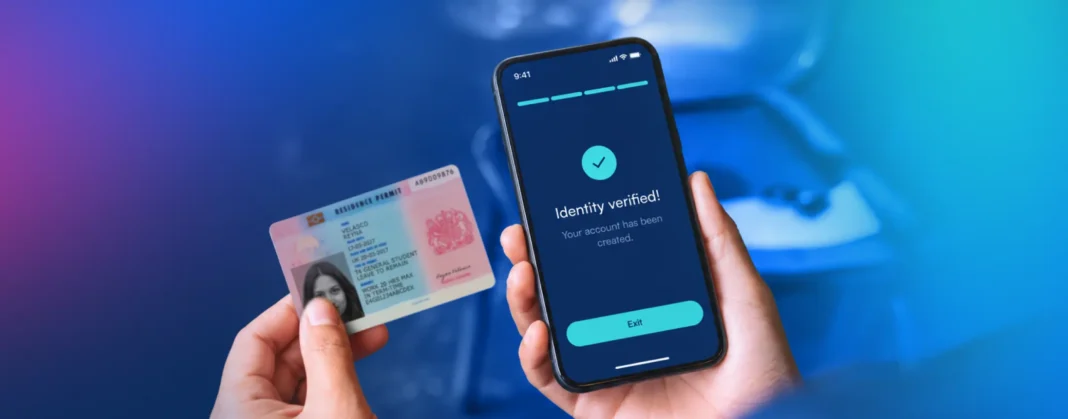
Built on more than a decade of proprietary computer vision research, Microblink transforms a mobile device into a high-accuracy identity verification engine. It reduces manual entry, improves first-pass capture success, and adds biometric and document intelligence that helps businesses defend against synthetic identity fraud, document tampering, and presentation attacks.
Key benefits
– Reduces onboarding friction with sub-second document capture and data extraction.
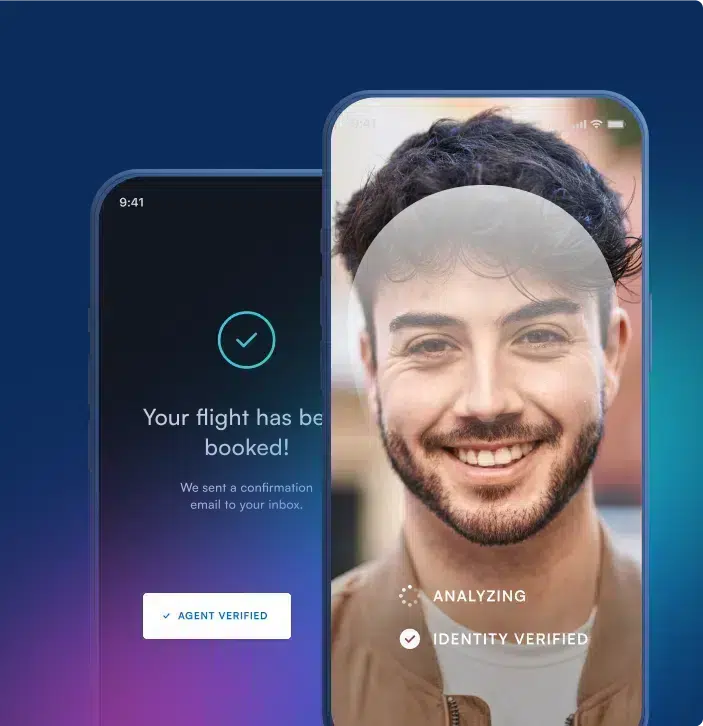
– Strengthens fraud controls with facial verification, liveness checks, and deepfake analysis.
– Supports global compliance across a wide range of document types and jurisdictions.
– Improves privacy and performance with secure on-device processing.
Core features
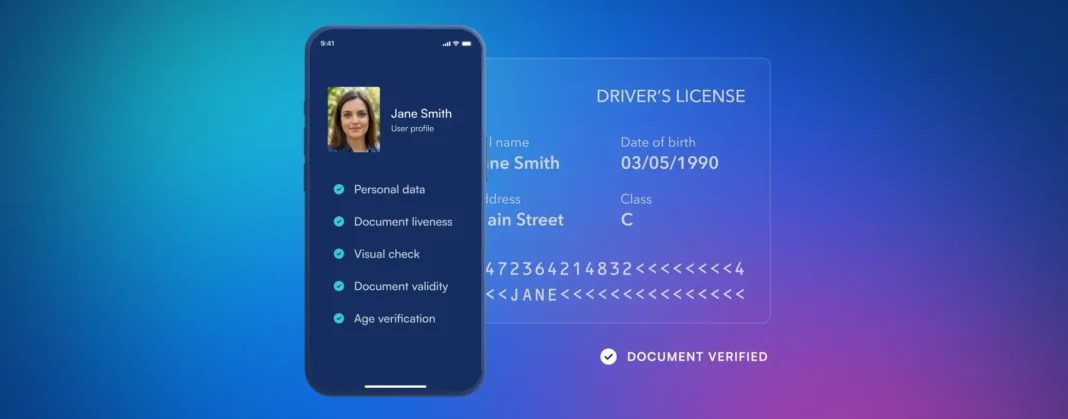
– Sub-Second Data Extraction (OCR, MRZ, and NFC): Instantly captures text, machine-readable zones, barcodes, and encrypted NFC chip data from passports and IDs.
– Advanced Biometric Liveness and Deepfake Detection: Uses proprietary AI to identify tampered documents, synthetic identities, and presentation attacks in real time.
– On-Device Processing: Performs highly accurate verification directly on the user’s smartphone, reducing latency and supporting privacy-by-design architectures.
– Adaptive UI and Auto-Capture Technology: Guides users through the scan with live feedback on framing, glare, and lighting to improve completion rates.
Primary use cases
– Enterprise customer onboarding: Ideal for financial institutions, fintechs, insurers, and digital platforms that need to verify users quickly and accurately.
– Global KYC and AML compliance: Helps multinational organizations automate ID verification across regions while maintaining auditability.
– Card-not-present and chargeback fraud prevention: Supports identity verification before high-risk transactions in payments and e-commerce.
– Age verification: Enables restricted-goods retailers and digital platforms to verify age with a lower-friction user flow.
Recent updates
– Released a data-driven report mapping the rise of AI-powered identity fraud, including trends in deepfakes and synthetic identities.
– Continued improving global MRZ and barcode reading accuracy with advanced AI models.
– Rebranded BlinkReceipt to Actual, modernizing its consumer-permissioned data product portfolio.
Limitations
– Commercial pricing can be high for smaller businesses, with plans starting around $210 per month.
– Full enterprise value typically requires SDK or API integration and developer resources.
– The platform is optimized for serious onboarding and verification workflows, so it may be more robust than needed for small, low-risk use cases.
2. VeriScan (IDScan.net)
Platform summary
VeriScan is a high-security ID scanning solution designed for businesses where age verification, fake ID detection, and visitor screening are operational essentials. It is especially strong in physical access environments, where compliance teams need fast decisions at the door and management needs centralized visibility across locations.
For Fraud Decision-Makers in casinos, dispensaries, nightlife, and other regulated venue settings, VeriScan stands out for its barcode intelligence and jurisdictional checks rather than broad digital onboarding automation.
Core features
– 2D barcode security: Performs 60+ jurisdictional checks to identify anomalous formatting and catch a significant share of mass-produced fake IDs.
– Centralized cloud portal: Syncs settings, logs, and reporting across devices and locations for stronger operational oversight.
– Anti-passback alerts: Flags repeat scans of the same ID within a short time window to prevent ID sharing.
Primary use cases
– Regulated retail compliance: Useful for casinos and cannabis dispensaries that need reliable age gating and screening against banned or self-exclusion lists.
– Nightlife security: Helps bars and clubs verify IDs quickly while reducing queue times and improving consistency at entry points.
– Multi-location visitor management: Supports enterprises that need standardized policies across distributed venues.
Recent updates
– Expanded support for mobile IDs, including the ability to read digital IDs from Apple Wallet.
Limitations
– Best fake ID detection performance may require specialty hardware, increasing total cost of ownership.
– Tiered pricing and product complexity can be too much for small single-location venues.
– The platform is operationally strong, but less developer-centric than enterprise identity APIs and SDKs.
3. Vemos – ID Scan
Platform summary
Vemos is purpose-built for nightlife and hospitality teams that need fast, practical ID checks at the door. Its strength is not deep enterprise AI, but workflow efficiency: moving lines quickly, flagging banned guests, and supporting venue staff with simple, high-visibility alerts.
For security leaders and venue operators, Vemos offers a useful blend of compliance enforcement and guest management functionality.
Core features
– Digital 86 list management: Lets staff maintain and share lists of banned guests so incidents are not dependent on a single doorman’s memory.
– Pass-back alerts: Detects when the same ID is scanned again within 20 minutes, helping prevent underage entry through ID sharing.
– Loyalty integration: Turns ID scans into guest history and attendance data that can support retention and marketing programs.
Primary use cases
– Nightlife guest analytics: Helps clubs and bars manage entry while collecting useful attendance and repeat-visit insights.
– Age-restricted retail: Gives smoke shops and similar businesses color-coded age alerts for faster compliance decisions.
– Venue security operations: Supports fast, handless scanning in high-traffic entrances.
Recent updates
– Improved Android stability by fixing login-related crashes.
– Enhanced background database syncing for better reliability.
Limitations
– No permanent free tier after the initial 14-day trial.
– Historical analytics require access through the web app rather than the mobile experience.
– Some Android users report slower load times on older devices.
4. ID Scanner (App Sub 1 LLC)
Platform summary
ID Scanner is a lightweight, hardware-free mobile app for organizations that need basic ID checks without enterprise complexity. It is a practical fit for small events, temporary venues, and local businesses that want straightforward age verification and attendance logging through a smartphone camera.
Its privacy-friendly local storage approach may appeal to teams that prefer not to route patron data through the cloud, though its fraud-detection depth is limited compared with more advanced platforms.
Core features
– Camera-based scanning: Verifies IDs through the phone camera without requiring dedicated hardware.
– VIP and banned list creation: Helps operators track both high-value guests and known troublemakers.
– Aggregated stats collection: Provides simple attendance insights over daily, weekly, or monthly periods.
Primary use cases
– Temporary event management: Useful for fairs, local sporting events, and pop-up access control.
– Small business age verification: Serves neighborhood bars and small dispensaries that need a low-cost compliance tool.
– Privacy-conscious local operations: Keeps data stored locally on the device.
Recent updates
– Added fixes for dark mode issues.
– Improved app responsiveness and general user experience.
Limitations
– The free tier is very limited, allowing only 20 scans before a paid upgrade is required.
– Fake ID detection is relatively basic and lacks the jurisdictional barcode intelligence of enterprise tools.
– Some users report false positives on legitimate IDs.
5. iScanner
Platform summary
iScanner is best understood as a document digitization app with strong OCR and image refinement, rather than a dedicated fraud prevention platform. It is useful when the priority is creating clear, organized, and securely stored digital copies of identity documents for administrative workflows.
For Fraud Decision-Makers in HR, education, and back-office operations, iScanner can improve recordkeeping efficiency. However, it does not replace purpose-built identity verification software where real-time fraud detection or age gating is required.
Core features
– AI image refinement: Straightens scans, removes background clutter, and improves clarity.
– Bulk OCR extraction: Pulls text from multiple ID scans at once, saving time in high-volume admin workflows.
– PIN-protected safe folders: Supports secure storage and password-protected sharing.
Primary use cases
– Administrative enrollment: Helps education teams digitize student IDs during enrollment cycles.
– HR onboarding: Supports employee document collection and secure storage.
– Compliance recordkeeping: Maintains legible, organized digital identity files for audits and operations.
Recent updates
– Introduced an AI-powered file name generator to improve organization and searchability.
Limitations
– Lacks dedicated fake ID detection features such as barcode authentication and jurisdictional checks.
– Does not include anti-passback alerts or venue-focused age-verification workflows.
– Better suited to document handling than real-time identity verification.
Frequently Asked Questions
What is an ID scanner app?
An ID scanner app is software that captures, digitizes, and often verifies information from identity documents such as driver’s licenses, passports, and visas. More advanced tools also use OCR, barcode and MRZ parsing, biometric matching, and fraud checks to support compliance and risk management.
Can mobile apps detect fake IDs?
Yes, some can. The most capable ID scanner apps analyze 2D barcodes, compare document data for anomalies, run jurisdictional checks, and in some cases add biometric verification or liveness analysis. That said, detection quality varies significantly by platform, and some solutions require specialty hardware for peak performance.
Are ID scanner apps secure?
Reputable platforms are designed with security in mind, but their approaches vary. Some prioritize secure cloud environments, while others emphasize on-device processing or local storage. Fraud Decision-Makers should evaluate encryption, audit trails, privacy controls, regulatory readiness, and data retention settings before deployment.
Which ID scanner app is best for enterprise onboarding?
For enterprise onboarding, Microblink is the strongest fit in this comparison because it combines high-speed OCR, MRZ and NFC capture, facial verification, deepfake defenses, and flexible SDK/API integration for regulated digital journeys.
Which ID scanner app is best for bars, clubs, and dispensaries?
For physical venues and age-restricted environments, VeriScan and Vemos are the strongest fits. VeriScan is better for high-security compliance and barcode-based fake ID detection, while Vemos is better for nightlife-focused workflows and guest management.
What is an ID Scanner App?
An ID scanner app is a specialized software solution designed to capture, extract, and authenticate data from government-issued identity documents such as driver’s licenses, passports, and national ID cards. Leveraging advanced technologies like Optical Character Recognition (OCR), Near-Field Communication (NFC), and AI-driven biometric analysis, these applications transform a standard smartphone, tablet, or web camera into a powerful identity verification tool. For B2B organizations, this technology enables the instant digitization of customer credentials while verifying that the document is authentic and has not been tampered with.
Why is it Important?
In today’s digital-first economy, implementing a robust ID scanner app is critical for both fraud prevention and regulatory compliance. As synthetic identity fraud and sophisticated spoofing attacks continue to rise, businesses must go beyond manual checks to protect their ecosystems and financial assets. A high-quality ID scanning solution not only deters bad actors but also ensures strict adherence to global Know Your Customer (KYC) and Anti-Money Laundering (AML) regulations. Furthermore, it significantly reduces friction during the customer onboarding process, providing a seamless, secure, and rapid experience that builds user trust from the very first interaction.
How to Choose the Best Software Provider
Selecting the best ID scanner app requires a rigorous methodology focused on accuracy, security, and scalability. When evaluating software providers, you should first prioritize those that offer extensive global document coverage and high OCR extraction accuracy to minimize false rejections and manual reviews. Next, assess their fraud detection capabilities, specifically looking for advanced liveness detection and anti-spoofing measures that can catch deepfakes or physical document alterations. Finally, evaluate the provider’s technical flexibility—such as easy-to-integrate APIs and SDKs—and ensure they maintain the highest data privacy standards, including SOC 2 and GDPR compliance, to seamlessly fit into your existing risk management infrastructure.
How do I choose the best ID scanner app for my business?
The best ID scanner app depends on your risk profile, operating environment, and compliance obligations, not just on scan speed or price.
For Fraud Decision-Makers, the most useful evaluation criteria usually include:
- Verification depth: Does the app only read basic text, or can it also validate barcodes, MRZs, NFC chips, facial matches, liveness, and document authenticity signals?
- Use case fit: A venue scanning app for bars or dispensaries is different from an enterprise identity platform for digital onboarding, KYC, and fraud prevention.
- Compliance support: Look for audit trails, configurable data retention, access controls, and workflows that align with your regulatory environment.
- Fraud prevention strength: If identity fraud is a major concern, prioritize anomaly detection, biometric checks, synthetic identity defenses, and tamper detection over simple camera scanning.
- Implementation burden: Some tools are plug-and-play mobile apps, while others require SDK or API integration into onboarding flows and internal systems.
- Scalability and coverage: Enterprises should assess document support across countries, performance at high volumes, and consistency across channels and locations.
- User experience: Better capture guidance and faster scan completion can improve conversion rates and reduce manual review costs.
As a rule of thumb, if your organization needs regulated onboarding, cross-border identity verification, or stronger fraud controls, an enterprise platform is usually the better fit. If your priority is door staff efficiency, age checks, or guest logging, an operational venue scanner may be sufficient.
What compliance requirements should an ID scanner app support?
A strong ID scanner app should support more than identity capture. It should help your team operate in a controlled, auditable, and policy-driven way.
Depending on your industry, useful compliance capabilities may include:
- Age verification controls: Critical for alcohol, cannabis, gaming, tobacco, and other age-restricted environments.
- KYC and AML support: Important for financial services, fintech, insurance, and other regulated onboarding use cases.
- Audit trails and logs: Internal auditors and compliance teams need evidence of who was verified, when, how, and under what policy.
- Data minimization and retention controls: The system should allow businesses to store only what is necessary and define retention policies that fit legal and internal requirements.
- Role-based access controls: Sensitive identity data should only be available to authorized personnel.
- Privacy and security features: Encryption, secure storage, and controlled data sharing are essential.
- Jurisdictional coverage: Multi-region organizations need support for different ID formats, rules, and verification standards.
For enterprise teams, the best tools are those that improve compliance posture while reducing manual review and inconsistency. A scanner that speeds up workflows but creates weak auditability or unclear data handling can increase risk rather than reduce it.
Do ID scanner apps require special hardware?
Not always. Many ID scanner apps work with a standard smartphone camera, but hardware requirements depend on the level of security and performance you need.
There are generally three deployment models:
- Camera-only mobile apps: Good for basic scanning, simple age checks, and low-complexity workflows.
- Mobile apps with advanced software verification: These use the phone camera plus OCR, barcode reading, MRZ extraction, and sometimes biometrics for stronger verification without dedicated hardware.
- Specialty hardware setups: Some high-security venue environments use dedicated scanners to improve barcode accuracy, speed, and fake ID detection performance.
For Fraud Decision-Makers, the key question is not whether dedicated hardware exists, but whether the incremental security benefit justifies the operational cost. Specialty hardware may make sense in:
- high-volume nightlife or casino entrances,
- heavily regulated retail environments,
- scenarios where barcode authenticity checks are the primary defense,
- locations where staff need highly standardized scanning performance.
For digital onboarding and enterprise identity verification, software-led mobile capture with SDK or API integration is often more practical than deploying hardware.
How do ID scanner apps integrate with existing fraud, risk, and onboarding systems?
Integration is a major differentiator between consumer-grade scanning apps and enterprise-grade identity platforms.
The strongest enterprise solutions can connect ID verification data into broader workflows such as:
- Digital onboarding journeys
- KYC and AML reviews
- Fraud decisioning engines
- Case management tools
- CRM and customer lifecycle systems
- Internal audit and reporting environments
Common integration methods include:
- SDKs for mobile apps
- APIs for backend workflows
- Web components or hosted verification flows
- Cloud dashboards for centralized management and reporting
For Compliance Officers, Risk Managers, and Heads of Security, integration matters because identity verification should not operate in isolation. A scanned ID becomes much more valuable when it can be combined with:
- sanctions or watchlist screening,
- device intelligence,
- behavioral risk signals,
- biometric checks,
- transaction monitoring,
- manual review workflows.
If your organization wants to reduce fraud at scale, prioritize platforms that can become part of your broader control framework rather than standalone scanning utilities.
What should businesses know about storing ID scan data and privacy?
ID data is highly sensitive, so storage practices should be evaluated as carefully as scan accuracy.
Before choosing an ID scanner app, businesses should understand:
- What data is collected: Full image, extracted fields, barcode data, biometrics, metadata, or all of the above.
- Where data is stored: On-device, in the cloud, or in a hybrid environment.
- How long data is retained: The platform should support configurable retention periods.
- Who can access it: Access should be limited through permissions and role-based controls.
- How it is protected: Encryption in transit and at rest is essential.
- Whether the design supports data minimization: Organizations should avoid collecting or retaining more information than necessary for the use case.
For some businesses, local or on-device processing may support privacy goals and reduce unnecessary data exposure. For others, secure cloud storage with centralized controls may be better for reporting, multi-location visibility, and audit readiness.
The right approach depends on your legal obligations, internal governance standards, and operational model. For Fraud Decision-Makers, the safest choice is usually a platform that gives your team flexible controls over storage, retention, and access instead of forcing a one-size-fits-all data model.