
Best ID Scanning SDKs in 2026: 7 Options for Developers Compared


Teams that embed an ID scanning SDK, rather than send users to a hosted verification page, usually do it for reasons a feature list doesn’t show. The redirect to someone else’s verification page is where signups drop, and once an ID image leaves the device it becomes something you store, secure and answer for.
Every scan rejected by mistake costs you, too: at 50,000 scans a month, each percentage point of false rejects sends 500 more customers to manual review or out of your funnel.
This guide compares seven SDKs you embed in your own app, judged on those costs: BlinkID by Microblink, Regula, Entrust (formerly Onfido), Scandit, IDScan.net, Scanbot and Dynamsoft. They fall into three groups by the job they do best: remote onboarding, in-person ID checks and data capture.
If you want a vendor to return a verdict rather than data, a hosted platform fits better: see our ID verification API buyer’s guide. If staff at a door or counter do the checking, see our comparison of ID scanner apps for fraud prevention and compliance.
Key takeaways
- BlinkID by Microblink is our pick for most teams. It reads the front, the MRZ and the barcode in one on-device scan across 2,500+ ID types, and it was the only system to meet every threshold in the DHS RIVR evaluation.
- The seven SDKs fit three jobs: remote onboarding, in-person ID checks and data capture. Data-capture SDKs need a second vendor for any fraud decision.
- Only Scanbot and IDScan.net publish prices openly, and at 50,000 scans a month each point of false rejects adds about 25 hours of manual review.
What changed in 2026
The second is deepfakes. AI-edited ID images are cheap to make, so an SDK that only reads data leaves fraud detection to someone else. On the DHS-backed IDNet benchmark, Microblink reports 100% deepfake detection.
The third is that on-device processing has become the baseline. Every SDK in this list except Entrust, which uploads images to its own service, now reads barcodes or the MRZ on the device, so the real differences are in front-side reading, where authenticity checks run and what still goes to a server.
Three shifts change how teams should pick an ID scanning SDK this year. The first is mobile driver’s licenses. Regula added ISO/IEC 18013-5 mDL verification in January 2026, and Scandit now lists mDLs among its supported documents, though most onboarding still runs on physical cards.
How we ranked these tools
We built this list from vendor documentation, release notes and pricing pages. The criteria follow from the costs above, and each SDK on the list meets them:
- It reads the data on an ID: the PDF417 barcode, the machine-readable zone (MRZ), the printed front (the visual inspection zone, or VIZ), or a combination.
- It runs on the device, so capture and extraction work without sending images to a server. The exception is Entrust, a hosted service many teams shortlist alongside SDKs, so we flag where its images go.
- It ships as an SDK you embed, with native iOS and Android at minimum and web and cross-platform options counted in its favor.
- It is actively maintained, with public documentation and releases in 2025 or 2026.
How to choose an ID scanning SDK
Feature lists look alike from one vendor to the next. What separates them is how they handle the five things buyers care about most:
- A failed or falsely rejected scan is a customer who leaves or waits for manual review, so capture that works on worn cards, in glare and on older phones matters more than any feature.
- On-device processing keeps government IDs off your servers and the network, which shrinks breach exposure and makes data-residency rules easier to meet.
- Accuracy needs an independent test, because vendors’ own figures come from their own test sets and can’t be compared.
- The SDK has to cover the documents your users carry. Reading the front, the MRZ and the barcode handles more of them and lets the SDK cross-check the sources to catch tampering.
- A small app size, prebuilt scanning screens and a license that doesn’t grow with every verification keep the integration light and the bill predictable.
BlinkID is built around those priorities. Microblink reports 40% higher capture success, BlinkID reads all three data sources on the device across 2,500+ ID types, its SDKs start at 2.5MB, and it was the only system to meet every threshold in the DHS RIVR evaluation. The FAQs at the end cover each point in more detail.

Figure 1: Where the seven SDKs sit, October 2026. Placement is our reading of each vendor’s public documentation: how much of the verification job the SDK does, against how easy it is to ship. A hollow marker means images are processed on the vendor’s servers.
In short, BlinkID and Entrust do the most of the verification job while staying easy to ship, though Entrust does it on its own servers. Regula goes deepest on forensics at the cost of a heavier integration. Scandit and IDScan.net sit in the middle for in-person checks, and Scanbot and Dynamsoft are quick to ship but stop at data capture.
Remote onboarding: BlinkID, Regula and Entrust
These three read the ID and check whether it is genuine, which is what onboarding people you have never met requires.
Where they do it differs. BlinkID reads the front, the MRZ and the barcode on the device with the lightest integration. Regula leads with document forensics and NFC chip checks, at the cost of heavier integration. Entrust runs its checks as a hosted service, so every ID image goes to its servers. Our document authentication software roundup goes deeper on forensics.
1. BlinkID by Microblink

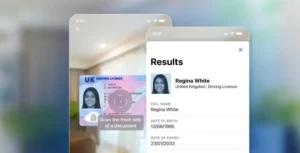
BlinkID is Microblink’s ID capture and extraction SDK and the capture layer of the Microblink Platform, Microblink’s Identity Intelligence OS. One scan reads the front, the MRZ and the barcode where a document has them, and BlinkID compares the data across sides through its dataMatchResult field. Processing runs on the device, and Microblink states results arrive in under 3 seconds across 2,500+ ID types from 195+ countries and territories.
The independent proof point is the U.S. Department of Homeland Security’s Remote Identity Validation Rally (RIVR). Tested on more than 2,000 genuine documents from 23 U.S. states and Washington, D.C., Microblink’s system recorded a 0.00% system error rate, a 3.15% document false reject rate and a 0.88% document false accept rate. It was the only one of seven systems to meet every threshold (results published March 2026).
For authenticity, Microblink adds screen, photocopy and tamper checks through BlinkID Verify, which runs as an API rather than inside the mobile SDK.
Microblink builds its own models rather than licensing them, processed 2.9 billion identities in 2025, and powers identity verification for half of the top providers in the Gartner 2024 Magic Quadrant for identity verification. BlinkID is the first step in Microblink’s Know Your Actor approach, which keeps checking identity after onboarding.

Core features
- Session-based API: since BlinkID v7 (March 2025), one BlinkIdScanningSession on Android or BlinkIDSession on iOS replaces the older recognizer model, with prebuilt screens in a separate BlinkID UX package.
- Modular reading: v8 (May to June 2026) split capture, barcode, MRZ and VIZ into independent modules, and barcode support now covers QR, Code 128, DataMatrix and Aztec alongside PDF417.
- Over-the-air document updates: since v8001 (July 2026), new documents are supported within 4 weeks of their release without an app update.
- Small footprint: Microblink’s SDKs start at 2.5MB in their smallest configuration, up to 6× smaller than alternatives, per Microblink. A full Android build downloads 4.48MB to 4.71MB depending on processor architecture.
Watch out for
- Pricing is quote-based, like most SDKs here. BlinkID needs a license key, bound to your app’s application ID on Android, and production pricing comes from sales. A 30-day trial key is available from the Microblink Developer Hub.
- Plan the v8 upgrade. Teams moving from v7 should budget time for API changes, covered in the v8 migration guide.
Integration and cost
Output: JSON per document side (viz, mrz, barcode), plus face, signature and document images.
Integration: iOS 15+, Android API 24+, Web (Chrome 96+, Safari 16.4+), React Native and Flutter. Start with the BlinkID documentation or the document scanner SDK overview; for tuning the scan flow, see how we optimized BlinkID from integration to UX.
Cost at scale: quote-based license; 30-day free trial.
“What I like most about Microblink is the accuracy and reliability of its identity verification and document-processing capabilities. The technology makes it easier to automate complex verification flows while still maintaining a smooth user experience. I also appreciate the platform’s flexibility and how easily it integrates into existing workflows.”
2. Regula Document Reader SDK

Regula Document Reader SDK lists 16,942 documents from 254 countries and territories as of its October 2026 release. Regula counts templates rather than document types, so the number is not directly comparable with other vendors’ document counts.
It reads barcodes, the MRZ and the visual zone, reads NFC chips with passive, active and chip authentication, and runs forensic checks such as hologram, screenshot and black-and-white copy detection.
The trade-off is complexity. What you can run depends on the Core package you bundle and on your license. Regula’s web components need its self-hosted Web Service for document type and visual zone recognition, and face matching is a separate product, Regula Face SDK.
Core features
- Scenarios such as FullProcess, FullAuth and MrzOrBarcodeOrOcr that set what each scan does.
- Automatic Authenticity Control, with checks including holograms, IPI and LASINK photo printing.
- NFC chip reading for ePassports, eIDs and eDLs, with optional server-side re-verification.
- Fully offline processing on mobile, or online processing through the Web Service to reduce app size.
In 2026, Regula added mobile driver’s license verification (January), moved iOS distribution off CocoaPods in 9.6 (June), added occlusion detection in 9.7 (August) and custom RFID chip applications in 9.9 (October).
Watch out for
- Licensing is complex, and transaction-based online licenses stop returning results as soon as the connection drops.
- React, Ionic and Cordova wrappers are marked deprecated in Regula’s docs.
- SDK size is unpublished and grows with the Core variant you bundle.
Integration and cost
Output: text fields, images and a result for each authenticity check, from the DocumentReader API.
Integration: iOS, Android, Flutter, JavaScript and .NET MAUI, plus a Web Service for Linux, Windows and Docker.
Cost at scale: usage-based quote by module (Basic, VizOCR, AAC or Full); 30-day trial capped at 2,000 transactions.
3. Entrust Identity Verification (formerly Onfido)

Entrust Identity Verification is the product Onfido built before Entrust acquired it: a hosted verification service with capture SDKs for mobile and web. Entrust says it supports over 2,500 document types in 195 countries.
The SDK captures the document and a selfie or motion video, runs image quality checks on the device, and uploads the media to Entrust’s service, where the checks run inside a Studio workflow. Document, face and liveness checks come from one vendor, and an expert manual review team handles hard cases such as sophisticated counterfeits.
That makes it the only SDK here that sends every ID image to the vendor. Results that go to manual review arrive later by webhook rather than in the session.
Core features
- Document report checks for visual authenticity, data consistency, image integrity and documents already known to be compromised.
- NFC chip reading for recent passports, national ID cards and residence permits, on by default in the iOS SDK since version 29.1.0.
- Motion liveness, a head-turn capture that Entrust describes as iBeta PAD Level 2 compliant.
- Studio, a drag-and-drop builder for verification workflows.
In 2026, iOS SDK 33.0.0 expanded UI customization (March), 33.1.0 let Studio workflows skip the document selection screen (May), and 33.2.0 added the Irish Passport Card (August).
Watch out for
- Captured images are uploaded to Entrust for verification, so there is no offline extraction.
- Some results come from manual review and arrive asynchronously.
- Pricing, SDK size and trial terms are not published.
Integration and cost
Output: Document and Facial Similarity reports with a result for each check, through the Entrust API and webhooks.
Integration: iOS, Android, Web, React Native and Flutter SDKs with prebuilt screens, plus no-code Studio workflows.
Cost at scale: quote-based; pricing and trial terms on request.
4. Scandit ID Scanner SDK

Scandit ID Scanner SDK is the ID Capture module of Scandit’s data capture platform. It reads the PDF417 barcode, the MRZ and the front of over 2,500 document types, per Scandit, and processes on the device by default.
Scandit’s own accuracy claims are 100% for PDF417, 99% for MRZ and 95%+ for VIZ, and it says ID Validate tells real from fake IDs with 99.9% accuracy at one large U.S. food delivery company. None of these figures comes from an independent test.
The gap is authenticity outside North America. Scandit’s ID Validate flags forged AAMVA barcodes and voided IDs, but its documentation limits it to U.S. documents (and voided-ID detection in Canada), and Scandit support has to enable it. There is no face match or liveness, so a selfie step needs another vendor.
Core features
- IdCapture with SingleSideScanner and FullDocumentScanner modes, configured per document type through IdCaptureSettings.
- ID Validate settings such as rejectForgedAamvaBarcodes and rejectInconsistentData for U.S. licenses.
- NFC chip reading through NfcResult, including chip verification and clone detection status.
- ID Bolt, a prebuilt web workflow for scanning IDs in a browser.
In 2026, SDK 8.3.0 stopped falling back to MRZ-only results for U.S., EU and UK passports (March), 8.5.0 added NFC chip reading (July), and 8.6.1 fixed false forgery flags on Ohio licenses (October).
Watch out for
- Fake ID detection covers AAMVA documents only.
- No face match or liveness.
- The 8.x line has had breaking and behavior changes (8.0.0 in November 2025 and 8.3.0 in March 2026), so test each upgrade.
Integration and cost
Output: a CapturedId with VizResult, MrzResult and barcode results, plus face and document images.
Integration: iOS 15+, Android, Web, React Native, Flutter, .NET, Cordova, Capacitor and more.
Cost at scale: quote-based, as a fixed fee or per device or scan; no public prices.
5. IDScan.net

IDScan.net splits ID scanning into two products. Its ID Parsing SDK decodes the PDF417 barcode on U.S. and Canadian licenses and the MRZ on passports, locally and with no internet connection. DIVE, its Digital Identity Verification Engine, adds front-side OCR, face match, liveness and authentication checks as a cloud API with published per-verification prices.
That split is the main thing to plan around. Barcode capture on a phone needs the Camera Scanning SDK plus the Parsing SDK, and anything beyond the barcode needs a network call to DIVE. Coverage is strongest in the U.S., where IDScan.net says 10 to 40 new ID formats launch every year and ships format updates up to twice a month.
Core features
- ID Parsing SDK for PDF417 and MRZ on Windows, Linux, iOS, Android, .NET and Java.
- DIVE API (POST /api/v4/verify) with document, face match and anti-spoofing results in one response.
- Optional DMV data verification and OFAC, PEP and sex offender screening APIs.
In 2026, DIVE added liveness and health check endpoints (March), and the Authentication SDK added banned lists and a confidence dashboard (June).
Watch out for
- No NFC chip reading.
- Front-side OCR, face match and authentication are cloud only.
- The React Native SDK installs from a GitHub tag, and we found no Flutter or .NET MAUI SDK.
Integration and cost
Output: parsed AAMVA and MRZ fields on the device; JSON verification results from DIVE.
Integration: native iOS and Android, .NET, Java, a web library (@idscan/idvc2) and React Native.
Cost at scale: DIVE from $200 a month for 400 verifications ($0.50 each) down to $0.40 each at 2,000 a month; ID Parsing from $175 per Windows device (October 2026 list prices).
6. Scanbot SDK

Scanbot SDK, acquired by Apryse in July 2025, is a capture-only SDK with a flat published starting price. It runs entirely on the device, reads the MRZ on passports and IDs, parses U.S. and Canadian PDF417 barcodes, and extracts front-side fields from a listed set of mostly European ID cards and driver’s licenses.
It does not verify documents. There is no NFC, authenticity check or face match, and its Document Verification API checks consistency, such as a birth date falling before an expiry date. For onboarding with fraud risk, Scanbot is a capture layer that needs a verification vendor behind it.
Core features
- MrzScanner for TD1, TD2, TD3 and visa MRZ formats.
- Document Data Extractor for front-side fields on supported IDs and EU driver’s licenses.
- U.S. Driver’s License Scanner with an AAMVA PDF417 parser.
In 2026, version 8.1.0 added Romanian, Italian, Turkish and Polish ID cards (March), 9.0.0 began classifying document types with an ML model (June), and Web SDK 10.0.0 added the new German passport (October).
Watch out for
- Front-side coverage is narrow and Europe-centric, and only German documents are enabled by default.
- Extraction only: no authenticity checks, NFC or face match.
- Frequent breaking changes, and cross-platform wrappers trail the native releases.
Integration and cost
Output: a GenericDocument with typed fields per document.
Integration: iOS, Android, Web (self-hosted WebAssembly), React Native, Flutter, Capacitor, .NET MAUI and Linux or Windows servers.
Cost at scale: a fixed annual price per app or domain with unlimited scans, starting at $2,500 a year; 7-day trial.
7. Dynamsoft MRZ Scanner

Dynamsoft MRZ Scanner is built on Dynamsoft Capture Vision and reads the five ICAO machine-readable formats: TD1, TD2 and TD3 documents and MRV-A and MRV-B visas. U.S. licenses go through a separate product, Dynamsoft Barcode Reader with Code Parser, which handles AAMVA and South African driver’s license barcodes. Everything runs on the device.
Dynamsoft is open about the limit: its own guide says a barcode that parses correctly proves the data is well formed, not that the document is genuine. There is no front-side field OCR, NFC or face match.
Core features
- MRZScanner with document, original and portrait image extraction since JavaScript version 4.0.
- Per-field check-digit validation status on Android since version 3.6.2000.
- CodeParser specs for MRTD documents, AAMVA licenses and South African licenses.
In 2026, JavaScript 3.1.0 added a neural MRZ localization model that Dynamsoft says is up to 42.7% faster (January), 4.0.0 added image extraction with breaking API changes (May), and Android 3.6.2000 added field validation status (September).
Watch out for
- MRZ and barcodes only, with no authenticity checks.
- Driver’s license reading is limited to AAMVA and South African barcodes.
- MRZ scanning and driver’s license scanning are licensed separately.
Integration and cost
Output: MRZData fields plus document and portrait images.
Integration: JavaScript, iOS, Android, React Native, Flutter, .NET MAUI, .NET, C++ and Python.
Cost at scale: annual tiers by scans (15,000 to 100,000 a year), devices or browser clients, with prices shown only after an email form; 30-day trial, renewable to 60 days.
Also considered
Three more names come up on many shortlists. PixLab DOCSCAN is a cloud REST API rather than an SDK, so images leave the device. Credence ID’s Tap2iD is a hardware reader for mobile driver’s licenses, sold with apps such as IDScan.net’s VeriScan rather than embedded in your own.
Mitek describes its MiSnap SDK as capturing images for processing on Mitek’s own imaging platform, which makes it the front end of a hosted service and closer to the platforms in our identity verification platforms roundup.
Which ID scanning SDK should you choose?
Start from the job. If you onboard people you have never met, with money or age-restricted goods at stake, you need an SDK built for remote onboarding, and for most product teams we would start with BlinkID.
It keeps users in your own flow, reads all three data sources on the device in under 3 seconds, starts at 2.5MB, and is backed by the only result in the DHS RIVR evaluation that met every threshold. When you need authenticity checks, BlinkID Verify adds them, and the Microblink Platform adds orchestration and decisioning on top.
- If you need fake ID detection on U.S. licenses at retail scale, Scandit’s ID Validate is built for it.
- If document forensics and NFC chip verification come first, start with Regula.
- If you only need U.S. barcode parsing, or want published per-verification prices, IDScan.net fits.
- If you want a flat annual price and only need MRZ and barcode capture, look at Scanbot or Dynamsoft.
- If you want document, selfie and liveness checks from one hosted vendor, and can send ID images to it, consider Entrust.
Whichever you shortlist, test it on your own documents before you sign. Vendor accuracy figures come from different test sets, so your own numbers are the only fair comparison.
- Use at least 50 real documents, weighted toward the types your users carry most, including worn and laminated cards.
- Scan on the lowest-end phone you support, in poor light and with glare.
- Record the false reject rate and the time to a result for every SDK, measured the same way.
- Check how much each SDK adds to your app’s download size.
- If you need fraud checks, include a few known fakes and photos of a screen, and see what gets flagged.
BlinkID’s 30-day trial covers this test. Get a trial key from the Microblink Developer Hub, or contact Microblink to scope a pilot that includes BlinkID Verify.
Frequently asked questions
What does an ID scanning SDK cost at scale?
Most ID scanning SDKs are priced by quote, so a like-for-like dollar comparison is not possible from public information. Only two vendors in this list publish prices openly: Scanbot (from $2,500 a year with unlimited scans) and IDScan.net (DIVE verifications at $0.40 to $0.50 each). Dynamsoft shows its tiers only after an email form.
Table 2: Pricing models and published prices, October 2026.
| SDK | Pricing Model | Published Price (October 2026) | Free Trial |
| BlinkID (Microblink) | License key, quote | Not published | 30 days |
| Scandit | Fixed, per device or per scan, quote | Not published | Yes, length not stated |
| Regula | Usage-based quote by module | Not published | 30 days or 2,000 transactions |
| IDScan.net | Per verification (DIVE); per device (ID Parsing) | DIVE from $200/month for 400 verifications; ID Parsing from $175 per Windows device | Yes, length not stated |
| Scanbot | Fixed annual fee, unlimited scans | From $2,500 a year | 7 days |
| Dynamsoft | Annual tiers by scans, devices or browser clients | Shown after an email form | 30 days, renewable to 60 |
| Entrust | Quote | Not published | On request |
Where the numbers come from: each vendor’s pricing page and licensing documentation, checked October 15, 2026.
The license is often not the biggest cost. At 50,000 scans a month, each percentage point of false rejects sends 500 customers to manual review. At 3 minutes per review, that is 25 hours of staff time a month for every point, before counting the customers who give up.
That is why this guide weighs independently tested accuracy above feature counts. In the DHS RIVR evaluation, Microblink’s system recorded a 3.15% document false reject rate.
How should you compare ID scanning SDK accuracy?
Ask for an independent result. Most vendors publish figures from their own test sets, so their numbers can’t be compared with each other.
In the DHS RIVR evaluation, Microblink’s system recorded a 3.15% document false reject rate and a 0.88% document false accept rate, the only one of seven systems to meet every threshold. Capture matters too: Microblink reports 40% higher capture success with BlinkID’s adaptive capture interface, which lets users scan without lining the ID up inside a fixed frame.
Can an ID scanning SDK detect fake IDs?
Some can, and the scope varies widely. Capture SDKs such as Scanbot and Dynamsoft validate check digits and data consistency, which catches typos and crude fakes but not a well-made forgery. Scandit detects forged AAMVA barcodes on U.S. licenses.
BlinkID Verify, Regula, Entrust and IDScan.net DIVE run document-level checks such as screen and photocopy detection and tamper analysis. Microblink’s models also detected 100% of deepfakes on the IDNet benchmark, per Microblink.
For remote onboarding, document checks also need a selfie and liveness detection to confirm the person holding the ID is its owner. Our ID document verification software comparison covers the vendors that combine both.
What is the difference between an ID scanning SDK, an IDV platform and an ID scanner app?
Choose an SDK when you own the onboarding flow and want ID data inside it, choose an IDV platform when you want a vendor to return a verdict, and choose a finished app when a person at a counter is doing the checking.
An ID scanning SDK is a library your developers embed to capture and extract ID data inside your own app. An identity verification platform is a hosted service that runs the whole check, usually document, selfie, liveness and screening, and returns a decision. Persona, Veriff, Sumsub and Entrust, covered above, sit in that group, compared in our roundup of the best identity verification platforms.
An ID scanner app is a finished app for staff at a door or counter.
Many teams use more than one: an SDK for capture in their app and a platform or API for the decision. Microblink offers both through BlinkID and the Microblink Platform.
How do you confirm the person presenting the ID is its owner?
An ID scanning SDK confirms what the document says, not who is holding it. For remote onboarding, add a selfie, a face match against the ID photo and a liveness check that confirms a live person is present rather than a photo, a screen or a deepfake.
Microblink’s models detected 100% of deepfakes on the IDNet benchmark, per Microblink, and the Microblink Platform combines document, face and liveness checks in one flow. Our liveness detection software comparison covers the options.
How long does it take to integrate a mobile ID scanner SDK?
It depends mostly on three choices: how many platforms you ship on, whether you use the vendor’s prebuilt scanning screens or build your own, and whether the extracted data goes on to a verification API. A capture flow built on prebuilt screens is the fastest path.
BlinkID ships prebuilt screens in its BlinkID UX package, SDKs that start at 2.5MB, wrappers for React Native and Flutter, and a developer hub with documentation and setup guides. Our ID document capture software comparison covers capture from the buyer’s side, and our guide to bringing ID scanning to web browsers covers the web route.