
Best ID Scanning Apps in 2026: AI Solutions for Fraud, Risk, and Compliance

In 2026, the intersection of physical security and digital identity has never been more critical for businesses navigating a landscape of sophisticated fraud. Modern ID scanning applications have evolved beyond simple barcode readers into comprehensive AI-driven compliance engines that safeguard organizations against identity spoofing, operational risk, and regulatory fines.
For Fraud Decision-Makers at mid-sized businesses and enterprises, the right platform is not just about scanning speed. It is about balancing fraud prevention, user experience, implementation complexity, auditability, and scalability across onboarding, age verification, and regulated access workflows.
Below is a side-by-side comparison of leading ID scanning apps, followed by a deeper review of each option.
| Product | Compliance Features | Industry Focus | AI Capabilities | User Experience | Developer Experience |
|---|---|---|---|---|---|
| Microblink Identity | Supports OCR, MRZ reading, barcode parsing, and facial verification for regulated onboarding workflows. | Best suited for enterprise onboarding, fintech, banking, and high-volume identity verification. | Strong AI stack with automatic document recognition, data extraction, and biometric face matching. | Fast and accurate once deployed, but setup is more enterprise-oriented than plug-and-play. | Well suited for teams needing SDK and API integration into custom compliance systems. |
| VeriScan | Offers 60+ jurisdictional checks, barcode security analysis, visitor logging, and banned-list management. | Designed for bars, nightclubs, casinos, cannabis dispensaries, and other regulated venues. | Uses rule-based and AI-assisted fraud detection focused on fake ID identification and anomaly detection. | Powerful for trained staff, though the interface can feel feature-heavy for new users. | Cloud-connected multi-device management is strong, but best results often depend on proprietary hardware. |
| ID Scanner App | Provides digital visitor logs, profile tagging, and basic venue oversight rather than deep compliance checks. | Targets local bars, cafes, and small hospitality venues needing simple ID logging. | Limited AI depth, with more emphasis on analytics and profile management than fraud prevention. | Easy to learn and useful for staff, though reliability issues can slow door operations during busy periods. | Minimal developer tooling and limited multi-device scalability compared with enterprise competitors. |
| iScanner | Focuses on secure document capture and storage rather than dedicated identity compliance or fake ID detection. | Best for document management, HR, education, and general business paperwork workflows. | Includes AI image refinement, OCR, and file naming, but not biometric or anti-fraud identity verification. | Polished and versatile for scanning and editing documents, especially for non-technical users. | Not built as a developer-first identity platform, with limited relevance for custom compliance integrations. |
| Scannr | Automates age checks, expiry alerts, and demographic tracking, but lacks advanced visual fraud inspection. | Built for nightlife, event entry, and fast-moving door staff workflows. | Uses barcode-based automation and age detection, with less sophisticated fraud analysis than enterprise tools. | Very fast for line management thanks to bouncer mode and simple mobile-first operation. | Offers a REST tracking service for custom integrations, though hardware support is limited. |
1. Microblink Identity
Platform summary
Microblink Identity is an enterprise-grade ID scanning and identity verification solution built for digital onboarding, fraud prevention, and regulated compliance workflows. It is especially well suited for Fraud Decision-Makers who need fast document capture, biometric verification, flexible SDK or API integration, and enterprise-grade controls across high-volume environments.
Unique selling point
Microblink Identity combines proprietary BlinkID document recognition with facial verification to deliver enterprise-grade identity scanning and fraud-resistant onboarding.
Key benefits
- Sub-second data capture helps reduce onboarding friction and minimize abandonment at the point of verification.
- On-device processing strengthens privacy controls while improving capture speed and reliability.
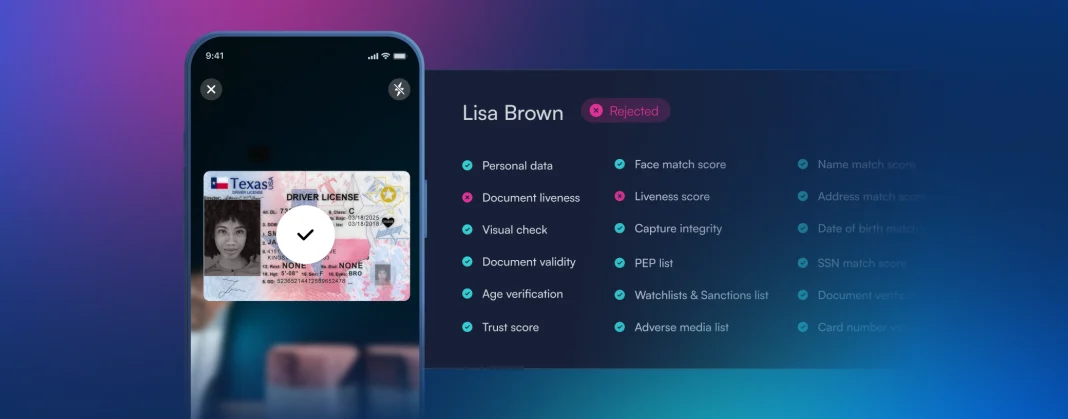
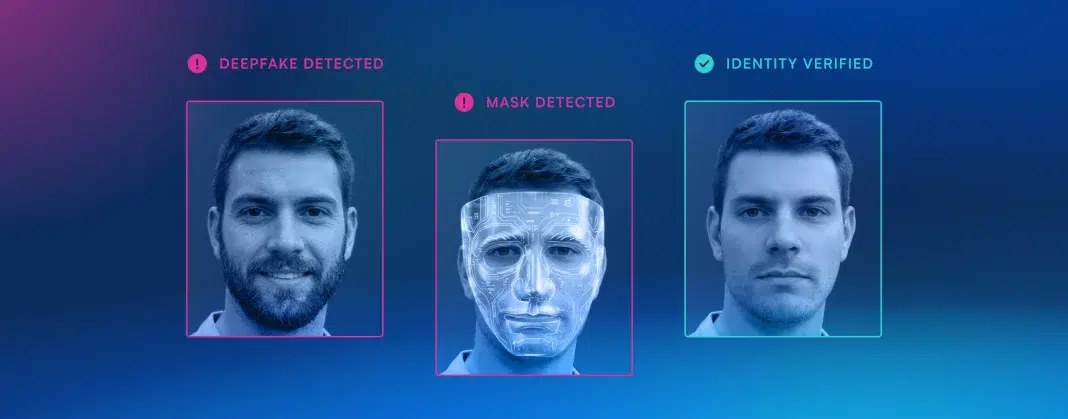
- Built-in fraud defenses help detect deepfakes, presentation attacks, and synthetic identity attempts in real time.
- Flexible APIs and SDKs make it easier for enterprise teams to embed ID verification into existing apps, web browsers, portals, and compliance workflows.
Core features
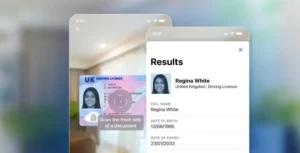
- Automatic document recognition for passports, driver’s licenses, visas, and other government-issued IDs across 140+ countries.
- OCR, MRZ reading, and barcode parsing for highly accurate data extraction and validation.
- Biometric face matching that compares a live user selfie to the portrait on the identity document.
- Developer-first implementation options, including SDKs, REST endpoints, sandbox access, and enterprise-scale throughput.
Primary use cases
- Global customer onboarding for banks, fintechs, and digital platforms with KYC and AML obligations.
- High-volume identity verification for enterprises processing thousands of documents daily.
- Fraud prevention for remote account opening, sensitive transaction approvals, and age-restricted access flows.
Recent updates
- Continuous improvements to BlinkID technology have expanded global document support and improved cross-checking speed.
- Microblink has also published new fraud intelligence based on millions of identity interactions to help enterprises respond to AI-driven threats.
- The company recently rebranded BlinkReceipt to Actual, continuing its broader push around AI-powered consumer-permissioned data.
Limitations
- Enterprise pricing can be prohibitive. Pricing starts at a level that makes sense for larger organizations rather than small operators. Budget-conscious venues may find the ongoing cost difficult to justify for lower scanning volumes.
- Implementation is more complex than consumer-grade tools. The platform is designed for enterprise integration and often assumes technical support from developers or IT teams. Smaller businesses without internal resources may face a slower rollout and steeper setup curve.
- Some advanced verification flows depend on connectivity. Cloud-based identity checks can require a stable internet connection for full functionality. That may reduce reliability in environments where offline performance is critical.
Pros and cons
- Pro: High-accuracy global OCR and document recognition. Microblink Identity supports a broad range of passports, driver’s licenses, and other IDs across many regions. This makes it a strong fit for businesses serving international customers.
- Pro: Biometric facial verification strengthens fraud prevention. The facial cross-check adds an extra layer beyond simple document scanning. That helps reduce the risk of spoofing, stolen IDs, and remote onboarding fraud.
- Con: Less accessible for low-volume or casual users. Its enterprise-first design and pricing model are not ideal for small bars or single-location venues. Many smaller operators will prefer a simpler, lower-cost app with faster deployment.
2. VeriScan
Platform summary
VeriScan is a compliance-focused ID scanning platform built for regulated physical venues that need stronger fake ID detection, visitor logging, and multi-location oversight. It is best suited for businesses such as bars, casinos, cannabis dispensaries, and other operators where age verification and access control are closely tied to compliance exposure.
Unique selling point
VeriScan stands out with deep fake ID detection through 60+ jurisdictional checks and centralized multi-location compliance management.
Core features
- More than 60 jurisdictional checks plus 2D barcode security analysis for identifying suspicious or forged IDs.
- Visitor management tools that create timestamped profiles and maintain digital logs for compliance and investigations.
- Centralized cloud portal for syncing settings, reporting, VIP lists, and banned lists across devices and locations.
- Support for mobile IDs, including recent support for digital IDs stored in Apple Wallet.
Primary use cases
- Age verification and anti-passback controls at bars, clubs, and event venues.
- Compliance logging for cannabis dispensaries and other highly regulated retail environments.
- Patron verification and list management for casinos and organizations operating under strict licensing rules.
Recent updates
- Added support for reading mobile IDs, including IDs stored in Apple Wallet.
- Enhanced 2D barcode security checks to better identify newer forms of fake IDs.
Limitations
- Best performance may require specialty hardware. Some advanced capabilities, including broader international document handling, are tied to dedicated devices. Businesses using only smartphones may not get the platform’s full fraud-detection value.
- Important security features are tier-gated. The strongest verification tools are reserved for Premium and Enterprise plans rather than the entry tier. That means lower-tier customers may miss checks that matter in high-risk environments.
- The interface can feel crowded for new staff. Because VeriScan includes visitor management, compliance logging, and list controls, the system can look dense at first. Teams may need onboarding time before they can use it efficiently during peak traffic.
Pros and cons
- Pro: Excellent fake ID detection for regulated venues. Its 60+ jurisdictional checks and barcode security analysis are built specifically to catch suspicious IDs. This makes it especially valuable for venues facing age-verification and compliance risk.
- Pro: Strong centralized cloud management. Managers can sync settings, banned lists, and reporting across multiple devices and locations. That creates a more consistent security operation for multi-site businesses.
- Con: Total cost of ownership can rise quickly. Hardware requirements and higher-tier subscriptions can make VeriScan more expensive than software-only alternatives. Smaller venues may struggle to balance the platform’s power against its cost.
3. ID Scanner App
Platform summary
ID Scanner App by Kupertino Labs is a mobile-first tool aimed at hospitality operators that want simple digital ID logging, repeat visitor tracking, and basic analytics without investing in heavier enterprise infrastructure. It is most relevant for smaller venues that prioritize ease of use and operational visibility over deeper fraud-detection controls.
Unique selling point
ID Scanner App differentiates itself with venue-friendly visitor analytics and simple VIP or banned-list management for hospitality businesses.
Core features
- Visitor analytics that help operators review traffic by day, week, or month.
- Customer tagging for VIP recognition and banned-person flagging.
- Simple monthly subscription pricing that is easier to budget than enterprise licensing.
- Digital entry logs that replace paper processes for smaller venues.
Primary use cases
- Digital guest logging for local bars, cafes, and small hospitality locations.
- Marketing and staffing decisions based on historical traffic and demographic patterns.
- Quick banned-list and VIP management for door staff and security teams.
Recent updates
- Recent bug fixes and performance improvements were aimed at improving camera reliability during scans.
Limitations
- Single-device subscriptions limit scalability. Each subscription covers only one device, which creates friction for venues with multiple entry points. Owners must manage multiple paid instances if they want broader coverage.
- Camera reliability issues can affect operations. Some users report glitches during image capture and scanning. Those interruptions can become especially frustrating when staff are processing long lines.
- The free experience is heavily restricted. Most practical usage quickly pushes businesses toward the paid subscription. Some users also describe the cancellation flow as less straightforward than expected.
Pros and cons
- Pro: Useful analytics for hospitality operators. The app does more than log IDs by turning visitor data into operational insights. Venue owners can use trends and attendance patterns to inform staffing and promotions.
- Pro: Simple VIP and banned-list management. Door staff can quickly tag, recognize, and manage repeat visitors without much training. That improves safety while also helping venues personalize guest handling.
- Con: Limited for larger or more complex venues. The lack of streamlined multi-device support makes the app harder to scale across bigger operations. Businesses with multiple doors or teams may outgrow it quickly.
4. iScanner
Platform summary
iScanner is better understood as a document management and capture tool than a dedicated identity verification platform. For Fraud Decision-Makers, it can support low-risk administrative workflows like document intake, HR onboarding, and secure record storage, but it is not built for high-assurance fraud prevention.
Unique selling point
iScanner pairs AI-enhanced document capture with built-in editing and secure sharing for flexible, high-quality document management.
Core features
- AI-powered image refinement that straightens scans and removes distracting background elements.
- OCR and bulk scanning for faster document digitization and editable text extraction.
- Secure cloud storage and protected folders for handling sensitive personal records.
- Built-in editing and sharing tools that reduce the need for separate PDF applications.
Primary use cases
- HR and recruiting teams digitizing employee IDs during onboarding.
- Educational and administrative offices processing large volumes of identity documents.
- Independent professionals securely scanning and sharing personal documentation.
Recent updates
- Introduced an AI-powered file name generator that automatically labels documents based on their contents.
Limitations
- It is not a dedicated compliance or fraud tool. iScanner is built primarily for general document capture and editing rather than identity verification workflows. As a result, it lacks the specialized checks needed for serious fake ID detection.
- Key AI features require a premium subscription. Advanced OCR and image refinement are locked behind the paid plan. Users looking for full functionality must budget for an ongoing monthly cost.
- It lacks venue-specific verification tools. There is no built-in bouncer mode or automatic age calculator for nightlife settings. Staff would need to interpret birth dates manually during entry checks.
Pros and cons
- Pro: Strong AI-based scan cleanup and OCR. The app improves document quality by straightening angles and removing distracting background elements. That is especially helpful when users need clean, readable scans for digital submissions.
- Pro: Combines scanning with editing and secure sharing. Users can scan, organize, edit, and send files from one platform instead of switching between multiple tools. This makes iScanner highly versatile for office and personal document workflows.
- Con: Weak fit for age-restricted or compliance-heavy use cases. Because it lacks fake ID detection and verification-specific controls, it cannot serve as a true security solution. Businesses in regulated sectors will likely need a more specialized platform.
5. Scannr
Platform summary
Scannr is a mobile ID scanning app optimized for fast-moving door operations where speed matters more than deep forensic inspection. It is a practical fit for nightlife and event teams that need instant age checks, expiry alerts, and simple demographic tracking directly from a smartphone.
Unique selling point
Scannr excels at lightning-fast, barcode-based age verification with a built-in bouncer mode tailored for nightlife and event entry.
Core features
- Fast barcode-based scanning that pulls data directly from the back of driver’s licenses.
- Bouncer mode that automatically flags minors based on a defined age threshold.
- Expiry detection to help staff spot invalid IDs at the point of entry.
- Basic demographic reporting for venue operators monitoring customer mix and trends.
Primary use cases
- Rapid age verification for nightclub and bar entry lines.
- Event entry management where simple, fast compliance checks are more important than deep document inspection.
- Lightweight data capture for custom workflows through its REST tracking service.
Recent updates
- Added support for third-party integrations and a REST tracking service for developers.
Limitations
- Barcode-only verification leaves blind spots. Scannr focuses on reading the encoded barcode rather than inspecting the visual front of the ID. That means a forged card with cloned or stolen barcode data may still pass the check.
- Hardware flexibility is limited. The app is designed as a mobile-first tool rather than a heavy-duty scanning system. High-volume venues may find smartphone-based workflows less efficient than dedicated hardware setups.
- Analytics are useful but not deeply strategic. The demographic charts help venues understand age and gender trends at a basic level. However, they do not provide the richer customer intelligence available in broader CRM or venue intelligence platforms.
Pros and cons
- Pro: Very fast barcode scanning for door operations. Scannr uses Microblink’s SDK to quickly pull data from the back of licenses. This helps security staff move lines faster with fewer scanning delays.
- Pro: Automated bouncer mode simplifies age checks. The app instantly flags minors and expired IDs based on a configured age threshold. That reduces human error and makes compliance easier in busy nightlife settings.
- Con: Visual fraud detection is limited. Because the platform does not deeply inspect the front of the card, it is less effective against sophisticated fake IDs. Venues needing stronger anti-fraud protection may require a more advanced verification stack.
Final take: which ID scanning app is best in 2026?
For enterprise Fraud Decision-Makers, the best ID scanning app in 2026 depends on the risk profile you need to manage.
- Choose Microblink Identity if you need enterprise onboarding, strong OCR, biometric verification, developer-ready integration, and broader fraud defense.
- Choose VeriScan if your priority is fake ID detection and compliance controls for regulated physical venues.
- Choose ID Scanner App if you run a smaller hospitality business and want lightweight visitor tracking with simple analytics.
- Choose iScanner if your use case is document capture and storage rather than fraud prevention.
- Choose Scannr if you need the fastest possible barcode-based age checks for event or nightlife entry.
If your organization is balancing conversion, compliance, and fraud prevention at scale, Microblink Identity is the strongest all-around option in this list for 2026.
What is an ID Scanning App?
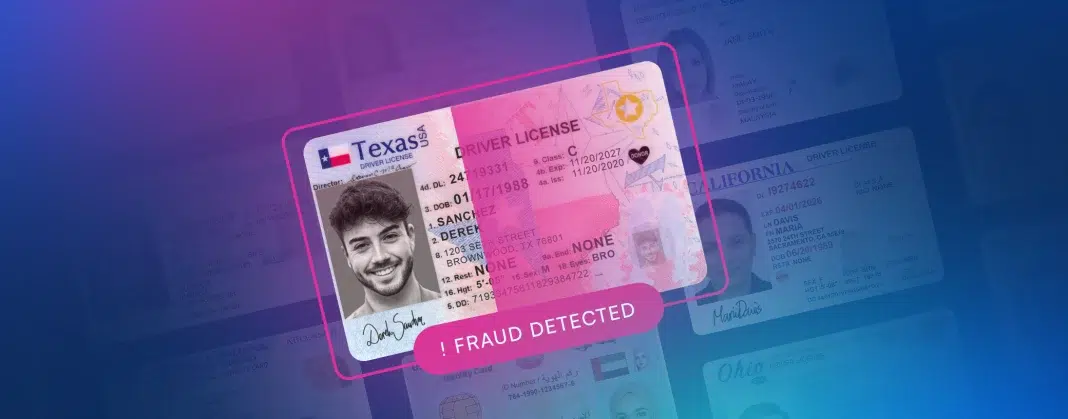
An ID scanning app is a specialized digital tool designed to extract, verify, and authenticate data from government-issued identity documents such as passports, driver’s licenses, and national ID cards. Leveraging advanced technologies like Optical Character Recognition (OCR), Near Field Communication (NFC), and biometric matching, these applications transform a standard smartphone, tablet, or web camera into a powerful identity verification device. For B2B organizations, this technology enables the seamless, real-time capture of customer data while simultaneously analyzing the document’s security features to ensure it is authentic and unaltered.
Why is it Important?
In today’s digital-first economy, robust identity verification is your frontline defense against sophisticated fraud and costly regulatory penalties. Implementing a top-tier ID scanning app prevents bad actors from using forged, expired, or stolen documents to breach your systems, thereby protecting your bottom line and brand reputation. Beyond fraud prevention, these apps are critical for maintaining strict compliance with global Anti-Money Laundering (AML) and Know Your Customer (KYC) regulations. By automating data entry and verification, businesses can eliminate human error and significantly accelerate customer onboarding, striking the perfect balance between stringent security and a frictionless user experience.
How to Choose the Best Software Provider
Selecting the best ID scanning app requires a rigorous methodology focused on accuracy, security, and integration capabilities. Start by evaluating the provider’s global document coverage and their ability to detect advanced spoofing attempts using AI-driven liveness detection and forensic document analysis. Next, assess their data privacy standards—ensuring strict compliance with frameworks like GDPR, CCPA, and SOC 2—and review their API and SDK documentation to guarantee a seamless integration into your existing tech stack. Finally, prioritize vendors that offer scalable pricing models, highly responsive technical support, and a proven track record of success within your specific industry.
What should businesses look for in an ID scanning app in 2026?
The most important criteria depend on your fraud and compliance exposure, not just scanning speed. In 2026, a strong ID scanning app should be evaluated across five areas:
- Fraud prevention: Look for features like OCR, MRZ reading, barcode parsing, document authenticity checks, liveness detection, biometric face matching, and alerts for suspicious or inconsistent data.
- Compliance support: The platform should help with KYC, AML, age verification, visitor logging, audit trails, and policy enforcement where relevant to your industry.
- User experience: Fast capture, clear pass/fail results, and low-friction verification matter because slow or confusing workflows can increase abandonment or create line backups.
- Integration and scalability: Enterprises often need APIs, SDKs, centralized reporting, role-based access, and support across multiple devices, locations, and workflows.
- Privacy and security: On-device processing, encrypted data handling, retention controls, and secure storage are increasingly important for meeting internal governance and regulatory expectations.
For lower-risk venues, a simple barcode-based app may be enough. For banks, fintechs, regulated retailers, and other higher-risk environments, an enterprise-grade platform with AI-based fraud detection and stronger identity assurance is usually the better long-term choice.
Are barcode-only ID scanning apps enough for fraud prevention?
Usually not, especially in higher-risk or regulated environments. Barcode-only apps are fast and useful for basic age checks, but they have important limitations.
A barcode scan can confirm information encoded on the back of an ID, such as date of birth and expiration date. That is helpful for speed-focused workflows like event entry or nightlife operations. However, barcode-only tools may miss:
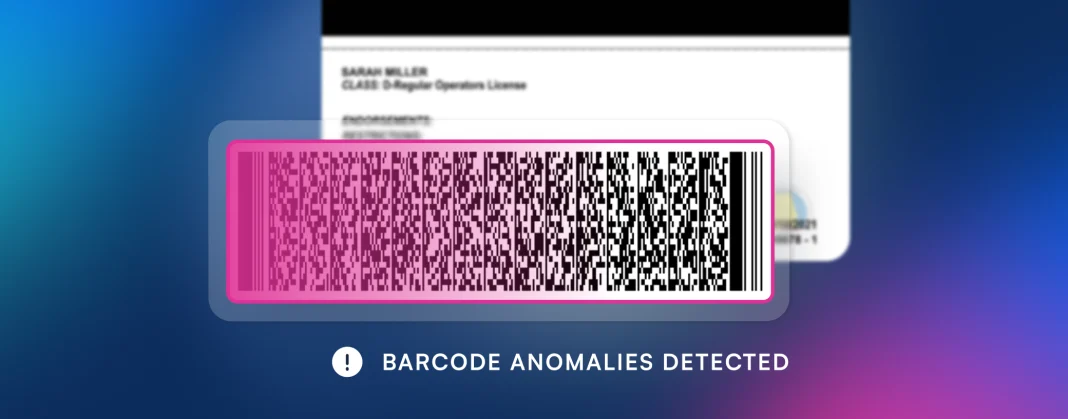
- Cloned or manipulated barcodes
- Forged physical cards with valid-looking encoded data
- Stolen IDs used by someone else
- Tampered front-side visual elements
- Synthetic identity or impersonation attempts in remote onboarding
For stronger fraud protection, businesses should look for tools that combine barcode reading with:
- Front-and-back document inspection
- OCR and MRZ cross-checking
- Visual authenticity analysis
- Selfie-to-ID face matching
- Liveness or presentation attack detection
In short, barcode-only scanning can be sufficient for low-risk, high-speed workflows, but it is generally not enough for organizations managing significant fraud, compliance, or reputational risk.
Can ID scanning apps work offline, and does that matter?
Yes, some ID scanning apps support offline or partially offline workflows, and that can be very important depending on the environment.
Offline capability matters most when businesses operate in places with unreliable connectivity, such as:
- Event venues
- Nightclubs
- Stadiums
- Field operations
- Borderline low-signal retail locations
When an app supports on-device processing, it can often perform core tasks like document capture, OCR, barcode parsing, and initial data extraction without sending every scan to the cloud. This can improve:
- Speed
- Reliability
- Privacy
- Operational continuity during outages
However, some advanced checks may still require connectivity, including:
- Cloud-based biometric matching
- Watchlist or banned-list syncing
- Centralized reporting
- Certain fraud intelligence updates
- Cross-session identity verification
For enterprise buyers, the key question is not simply whether the app works offline, but which features remain available offline and what level of risk the business can tolerate when internet access is interrupted.
How do ID scanning apps help with compliance and audit readiness?
Modern ID scanning apps can do much more than read a birth date. For compliance-focused organizations, they help create structured, defensible verification workflows.
Common compliance benefits include:
- Automated identity data capture to reduce manual entry errors
- Age verification controls for restricted products and venue access
- Timestamped logs showing when and how an ID was verified
- User-level activity records for internal accountability
- Document retention and export options for investigations or audits
- Consistent policy enforcement across devices, locations, and staff
- Integration with onboarding and case management systems
These capabilities can support industries dealing with KYC, AML, age-restricted sales, visitor management, and internal access control. They also help reduce the operational risk of inconsistent human review, especially in high-volume environments.
That said, businesses should confirm whether the app aligns with their specific legal and policy requirements around data retention, consent, privacy, and regional regulations. An ID scanning app can strengthen compliance operations, but it still needs to fit the organization’s broader governance framework.
What is the difference between an ID scanning app and an identity verification platform?
An ID scanning app typically focuses on capturing and reading data from a physical identity document. An identity verification platform goes further by helping confirm that the document is legitimate and that the person presenting it is the rightful owner.
An ID scanning app may include:
– Barcode reading
– OCR text extraction
– Expiry detection
– Age calculation
– Basic visitor logging
An identity verification platform may also include:
– Automated document type recognition
– MRZ and barcode cross-checking
– Face matching between selfie and ID portrait
– Liveness detection
– Fraud and spoofing detection
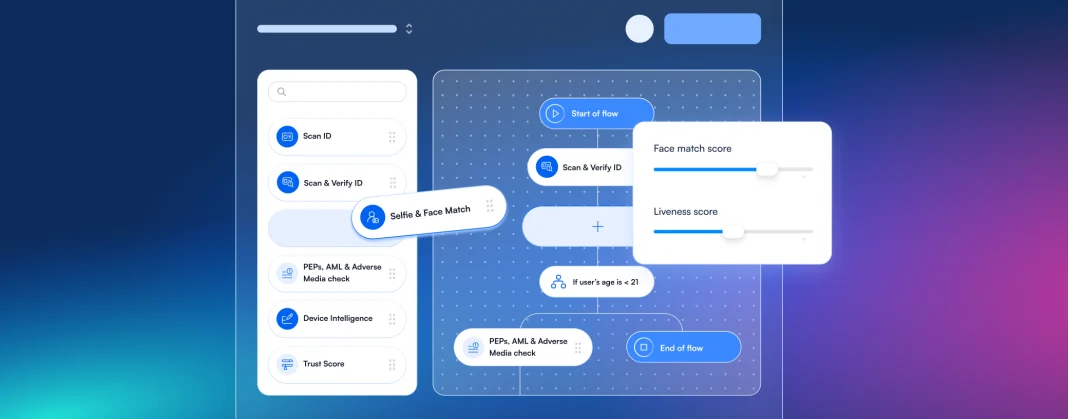
– Workflow orchestration and risk scoring
– API and SDK support for digital onboarding
This distinction matters because many businesses assume all scanning tools provide the same level of assurance. They do not. If your goal is simply to speed up door entry, a lightweight scanner may be enough. If your goal is to reduce account fraud, meet enterprise compliance obligations, or support high-assurance onboarding, you likely need a full identity verification platform rather than a basic scanner.