
Desktop ID Verification: Challenges, Limitations, and Smarter Alternatives

In an ideal world, every user needing to verify their identity would use a high-resolution mobile phone camera in perfect lighting conditions. But in the real world, identity verification needs to happen wherever users are, which is often in front of a laptop.
Desktop capture—where users hold an ID up to their laptop’s webcam—is still a real and necessary part of the ID verification landscape. It’s far from perfect, but for many users in many parts of the world, it’s the only viable option.
The Realities of Desktop Capture
Capturing identity documents on a desktop comes with inherent trade-offs. Webcams, unlike mobile cameras, simply weren’t designed for document photography. The result? Subpar image quality, more verification failures, and ultimately lost users.
Mobile vs Desktop Capture Comparison
| Feature | Mobile Camera | Desktop Webcam |
| Sensor Resolution | 12 MP and up | Often 2MP or less |
| Autofocus | Yes – can capture fine details | Rare – most are fixed-focus |
| Lens Quality | High quality, multi-element | Basic; often plastic lenses |
| Aperture | Wide apertures, which excel in low light | Narrower, struggles in low light |
| Lighting Support | Built in flash, adaptive screen lighting | No flash, lighting depends on environment |
| Advanced Sensors | LiDAR, depth sensors, AI processing chips | None |
These hardware limitations have real consequences for ID verification. Text, holograms, and watermarks are often difficult to capture clearly with a webcam, making it harder for verification systems to confidently extract and validate information. Without built-in flash or adaptive lighting, users frequently struggle with glare or dim environments, leading to images that are either washed out or too dark. The user experience itself also suffers—holding an ID up to a webcam typically blocks the screen, making it hard to preview or frame the shot correctly. Altogether, these factors contribute to a higher rate of verification failures, increasing user frustration, drop-offs, and ultimately, lost conversions.
So Why Support Desktop at All?
Because in many industries, the desktop isn’t optional. It’s the norm.
The fast-growing BNPL (Buy Now, Pay Later) space is a prime example. Most checkout journeys there still happen on desktop. Or consider online education. Students take identity-verified, proctored exams on laptops, not phones. Some large enterprises also often prefer web-first integration due to technical legacy constraints and internal architecture.
In fact, some Microblink customers see the majority of their ID verifications happen via desktop; up to 70% in some cases. Ignoring that user base would mean leaving huge gaps in coverage and trust.
The Microblink Approach
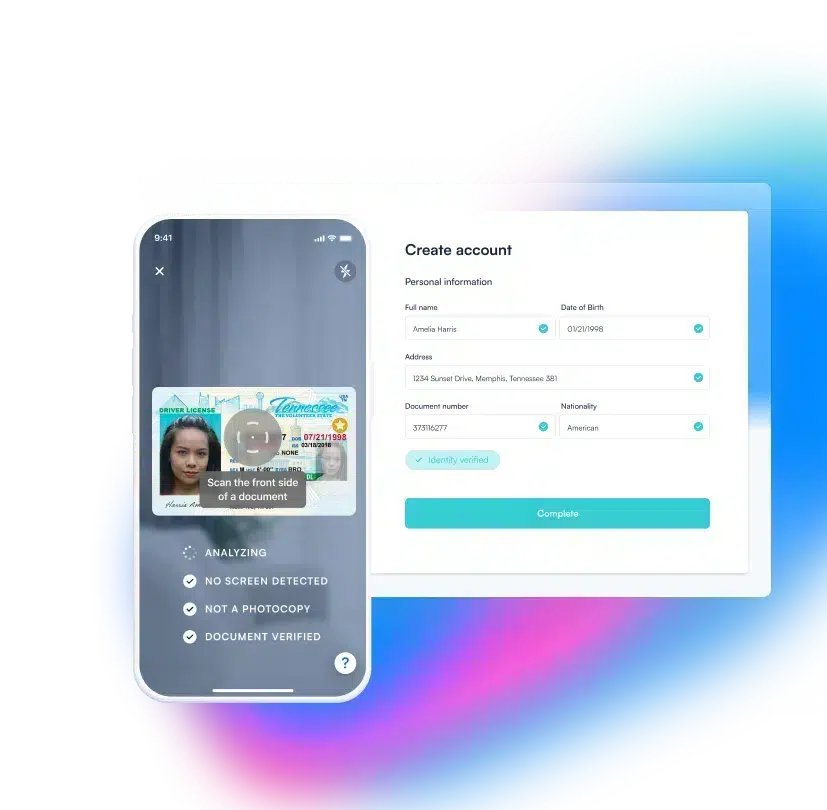
At Microblink, we’ve just rolled out next-gen improvements to how our technology handles desktop ID capture. These updates make image quality more reliable, edge detection smarter, and the experience less frustrating for the end user.
And if the webcam still isn’t cutting it? No problem. We’ve built in an elegant fallback: users can switch to mobile instantly by scanning a QR code, preserving the verification flow without needing to start over.
Also, it should be noted that If you’re tempted to let users upload ID images from their photo library instead, this is not an optimal idea. It’s a shortcut to serious fraud risk. Images from the gallery are easy to manipulate, and once you open that door, you’re making tampering and deepfake abuse scalable.
Accurate ID Capture on Any Screen
Mobile may be the gold standard for ID capture, but desktop isn’t going anywhere. For many industries and user journeys, it remains a critical touchpoint. Rather than treating it as a second-class option, it’s time to invest in making it work—securely, seamlessly, and intelligently. With Microblink’s latest advancements, businesses don’t have to choose between coverage and conversion. They can have both.
If you’d like to see Microblink’s Desktop ID capture capabilities in action, take a demo today.